21/10/2026 15:23
Which Pieces Come with the Set? Telegram Photo Albums for Cambodian Tea Shops

A beautiful tea-set photograph can leave a buyer with a practical uncertainty: does the offer include the tray, every cup and the gift box? For a Cambodian shop promoting ceramic sets through Telegram, that uncertainty follows the post into enquiries and quotations. An album can answer it when each image has a specific job. This guide explains how to assemble one clear product story, review it on a phone and decide whether the post is ready for wider promotion. The running example is hypothetical: a Phnom Penh shop selling a teapot with its lid and four cups, with a wooden tray available separately.
1. Define the sale unit before choosing photographs
Start with the goods the customer would receive. Put the actual items on a clear counter and write an internal inventory: teapot body, matching lid and four cups. Decide how the shop counts these pieces before using phrases such as “five-piece set.” A customer may count the lid separately. An explicit inventory avoids that ambiguity and gives the photographer, salesperson and person packing the order the same reference.
Record optional items separately, including a serving tray, tea strainer, decorative cloth or presentation box. Distinguish ordinary protective packaging from a gift box sold as an extra. Confirm the photographed colour and whether replacement cups are available before mentioning them. For the hypothetical shop, the approved offer includes the ceramics and protective packing; the tray is excluded. That simple decision controls every image and caption that follows.
2. Use an album when the buyer needs several connected views
Telegram’s official album announcement describes groups of up to ten photos or videos and explains that senders can control their sequence. This makes an album useful for showing several aspects of the same offer together. The feature itself does not establish which objects are included, verify stock or explain differences between models. Those remain editorial responsibilities. Source: https://telegram.org/blog/albums-saved-messages
Choose an album when a whole-set photograph cannot explain the rim, size or packing arrangement clearly. Use a single photograph when it already resolves the buying question. Split substantially different offers into separate posts: a four-cup set and a six-cup set should not look like interchangeable views of one product. Treat the available album capacity as a limit, not a target. Extra photographs earn their place only when they answer another useful question.
3. Give every selected image a distinct job
Plan a short sequence before taking photographs. Open with the complete included set against a plain background. Follow with a close view of the cup and teapot finish. Add a size view using a suitable measuring tool, then show the actual packing arrangement. If an optional tray needs its own photograph, put it after the included goods and identify it clearly in the accompanying text.
Keep the same physical sample throughout the shoot. Switching between similar sets can introduce a different handle, glaze or cup shape without anyone noticing. Check reflections and shadows around the rims, since these can hide chips or distort the apparent finish. Avoid filters that change the colour. The illustrations accompanying this article explain the workflow; a shop’s sales album should use accurate photographs of its own goods rather than generated product representations.
4. Make exclusions visible before they become objections
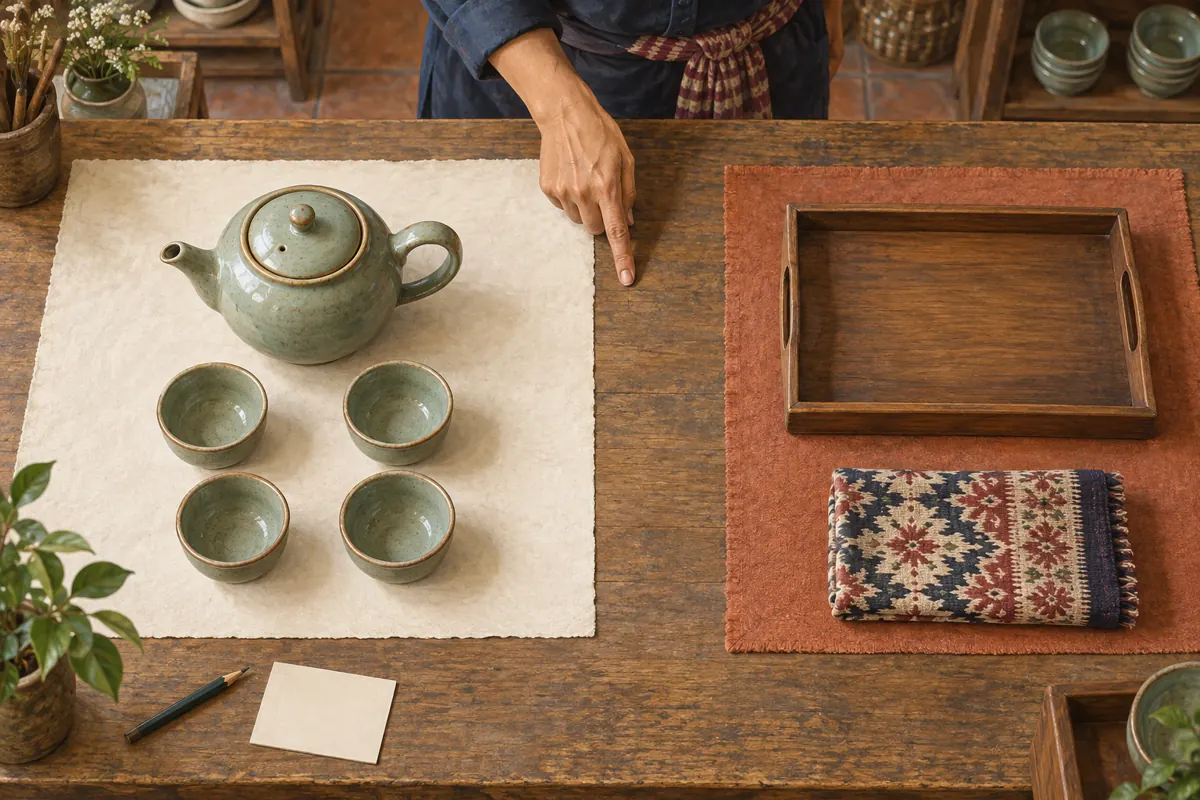
A tray beneath every cup can look like part of the offer even when a later sentence excludes it. Photograph included goods on their own first. If a styled scene helps explain use, place it later and state which objects are props or optional purchases. Do not rely on a small disclaimer to correct the strongest visual impression. The first image should remain understandable to someone who glances at it briefly.
In the hypothetical example, the shop removes the wooden tray from the opening photograph and gives it a separate accessory view. It also avoids photographing a second teapot simply to balance the composition. When staff compare the photos with the inventory, they should be able to point to every included object and explain every extra object. If that exercise requires a long explanation, simplify the scene before publishing.
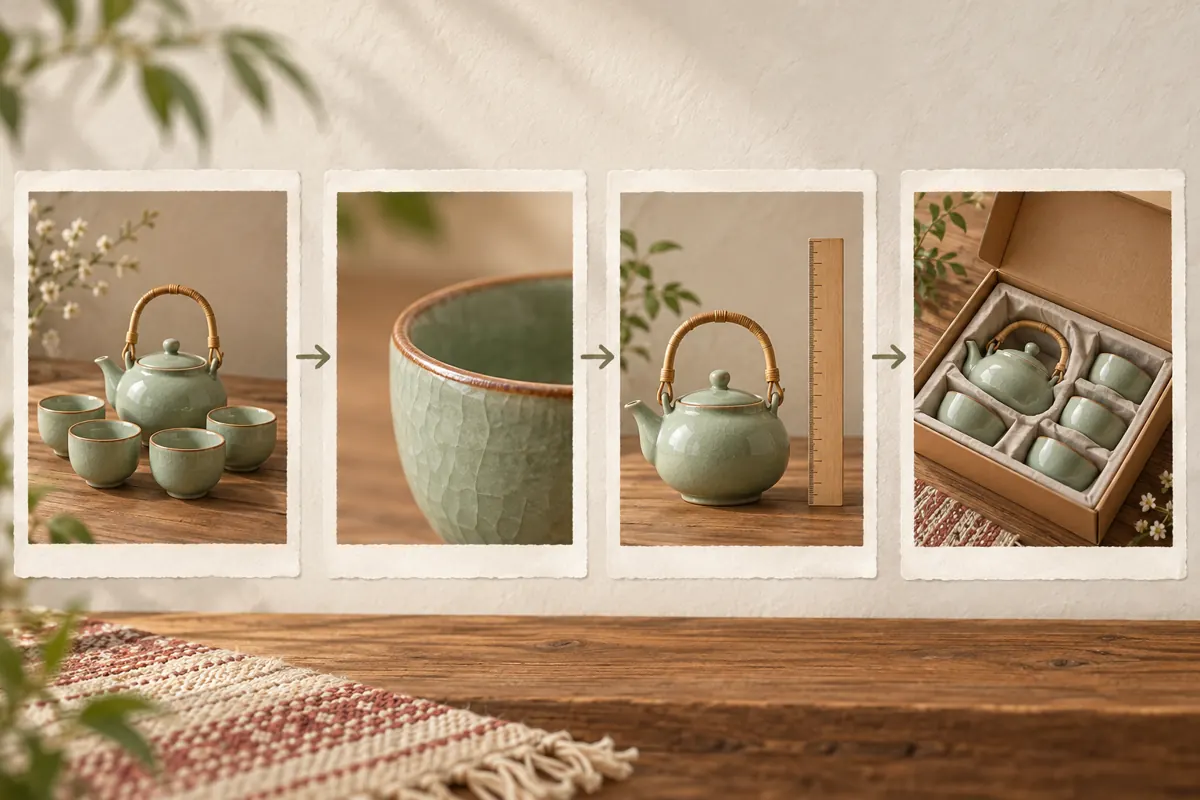
5. Write a caption that helps someone request the right set
Use a consistent product reference, then state the included items, relevant size information, exclusions and next action. Write dimensions with units and explain what was measured. A photograph of a ruler does not replace readable measurements. If capacity has not been checked, leave it unclaimed. Avoid inferring dishwasher suitability, heat resistance or food-contact properties from appearance; those claims require reliable product information.
A hypothetical caption could read: “Model T04, sage finish. Includes one teapot with lid and four cups. Wooden tray sold separately. Message T04 and your required quantity to check availability and receive a quotation.” Add verified dimensions and the shop’s actual pickup or delivery terms before use. For a Khmer-speaking customer base, prepare customer-facing wording in clear Khmer, retaining model codes consistently. If prices are displayed, make the currency and included charges explicit.
6. Preview the selection before sending
Telegram’s attachment-menu guidance explains that the selected-media preview lets senders inspect the album and rearrange or remove items. On supported interfaces, it identifies the selection control as “… selected.” Interface details can differ, so check the current app rather than relying on a memorised screen position. Source: https://telegram.org/blog/downloads-attachments-streaming
Open the destination, choose the intended media and inspect the selection before sending. Remove near-duplicates, confirm the complete set leads the sequence and check that no photograph belongs to another model. Keep the essential offer in a coherent caption. Test the arrangement in a private staff conversation if necessary, then review the actual public post after publication. The private test is an editorial check; it is not the public destination to use in a promotional brief.
7. Ask a colleague to read the album without coaching
Hand the finished preview to someone who did not prepare it. Ask them to identify the included items, the optional accessory and the information they would send when enquiring. Let them answer before explaining your intention. A mistaken answer is useful evidence about the post. For example, if they think the gift box is included, inspect both the packaging image and the caption rather than assuming they read carelessly.
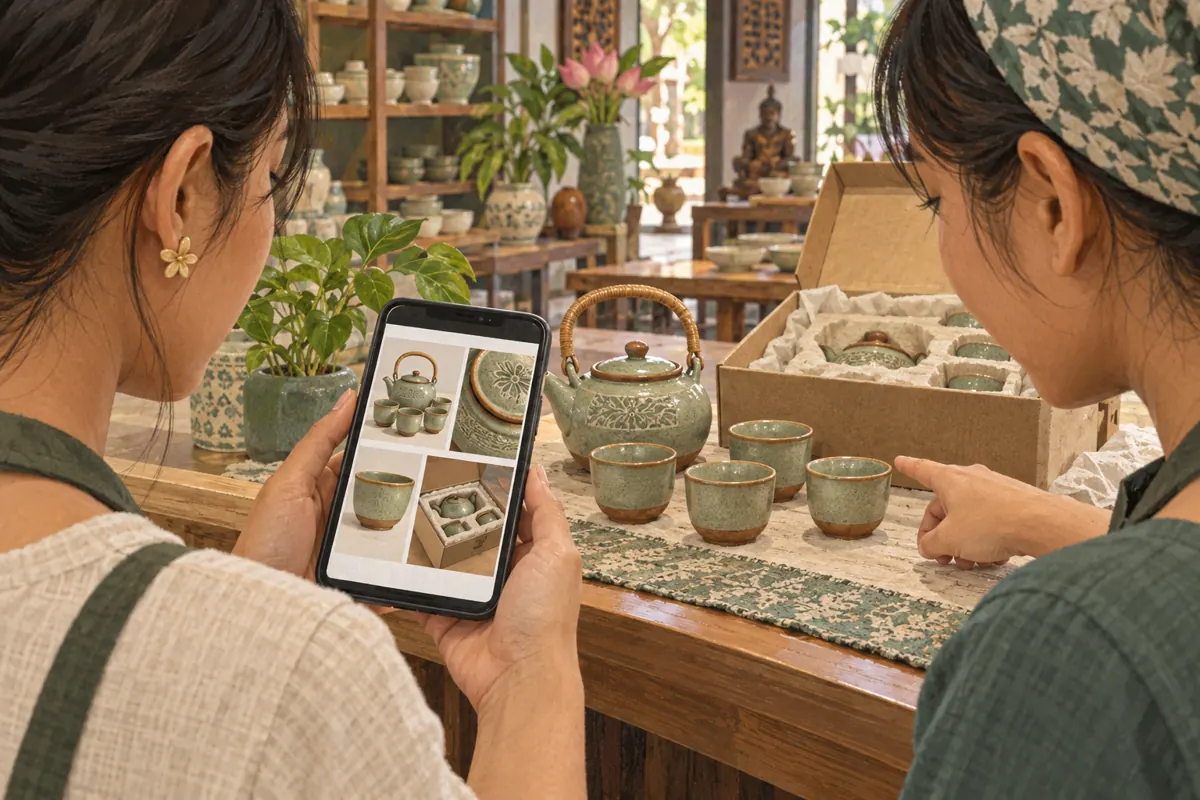
Review on an ordinary phone at normal viewing size. Can the person distinguish the cups in the grouped preview? Does opening an image reveal useful detail? Is the caption understandable without remembering a previous post? Check the reference against stock records and the quotation template. For provincial delivery enquiries, ensure staff can explain the actual packing and delivery arrangements separately; an attractive box photograph does not establish delivery coverage or protection terms.
8. Decide whether an SMM service belongs in this workflow
An SMM panel cannot resolve an unclear bundle or confirm buyer understanding. The brief lists “Telegram Mix Negative Reactions [👎😁😢💩🤮🤔🤯🤬 + Free Views] [𝗖𝗵𝗲𝗽𝗲𝘀𝘁]”. Its title identifies a reaction-related offering, but its description is empty. The supplied information does not establish its delivery method, suitability for an album, audience location or commercial effect. Treat promotional wording in the title as unverified catalogue wording.
For the hypothetical shop, this offering does not answer the goal of obtaining accurate tea-set enquiries. Declining an unsuitable service is a sensible panel decision. If assessing another service later, first establish its documented target requirements and compatibility with the platform’s rules. Do not assume that one album reference covers every constituent item. Purchased engagement is not evidence of genuine interest, sales, ad delivery or Cambodian users, and it should never be presented as customer feedback.
9. Measure whether the explanation worked
Keep a small enquiry log focused on comprehension. Record the product reference, whether the buyer understood the included pieces and which question remained unanswered. Separate availability questions from confusion about the offer. Someone asking whether two sets are in stock has a different need from someone asking whether the tray comes free. Record confirmed orders separately from enquiries and retain only the customer details needed for the work.
A hypothetical review might reveal repeated questions about the gift box even though the ceramics are clear. That suggests improving the packing photograph or its explanation. It does not establish that the entire campaign failed. Similarly, a visible reaction total cannot establish that people inspected the album. If paid services were used, keep their delivery records separate from the enquiry log so that purchased activity is not silently counted as buyer response.
10. Correct the recurring mistakes before the next promotion
The most costly editorial mistakes often look minor: mixing two nearly identical finishes, showing six cups while selling four, using an old packing photograph or leaving an unavailable accessory in the main scene. Another mistake is assuming that the first image explains the whole album when its caption describes a different configuration. Review the photographs and text together whenever stock or the bundle changes.
Assign one person to approve the product facts and another to check the public presentation when staffing allows. Preserve the approved image selection, product reference and review date in a simple internal note. Before reusing the post in a later promotion, compare it with the goods currently available. If the offer has materially changed, prepare a clearly distinguishable updated post and direct new enquiries to it. Do not keep circulating an obsolete bundle merely because its earlier post attracted activity.
Frequently asked questions
Should every available colour appear in the same album?
Only when the comparison remains clear and every colour has an unambiguous reference. If the sets also differ in cup count, shape or packaging, separate posts are easier to quote accurately. Never imply that all photographed colours are currently available without checking stock.
What if customers keep asking about an accessory already excluded in the caption?
Inspect the photographs first. The accessory may dominate the opening image or appear underneath the included goods throughout the album. Remove it from the main set view, give it a separate accessory image if needed and place the exclusion beside the offer description.
Do more album photographs make a product post more persuasive?
There is no guaranteed relationship. Each photograph should remove a specific uncertainty or show a relevant detail. Repeated angles can make the buyer work harder without adding information. A shorter, complete explanation is preferable to filling the album with decorative variations.
Can purchased Telegram reactions tell us which tea set customers prefer?
No. Purchased reactions do not provide an independent record of customer preference. Use actual enquiries, clearly described customer feedback and confirmed orders to inform stock decisions. Even genuine reactions are ambiguous: someone may appreciate the photography without wanting to buy the set.
What should staff do when a buyer sends only one saved product photograph?
Identify the model from the available details, then confirm the complete offer before quoting. Send the current album or an explicit included-items explanation. Do not assume that the buyer saw the original caption, knows the accessory exclusions or wants every object visible in the photograph.
Explore the current service catalogue, create an account, or ask a specific question through support tickets.
- Telegram: Albums, Saved Messages and Better Search
- Telegram: Download Manager, New Attachment Menu, Live Streaming With Other Apps and More
Prepared with AI assistance. Illustrations explain the workflow and do not represent customer results.