21/10/2026 07:54
Which Full Demo Fits This Short? YouTube Related Videos for Cambodian Label-Maker Shops

A short clip of a label printer producing neat stickers can attract attention without answering the question that matters to a buyer: how does this particular machine work with the labels they need? For a Cambodian shop serving small food sellers, packing businesses or home-based makers, the next video should resolve that uncertainty. YouTube’s related-video feature can provide a route from a Short to a fuller explanation. This guide shows how to choose that explanation, prepare both videos and test the journey. It also explains where SMM panel service evaluation belongs, without treating purchased engagement as customer interest.
1. Start with the question left after the Short
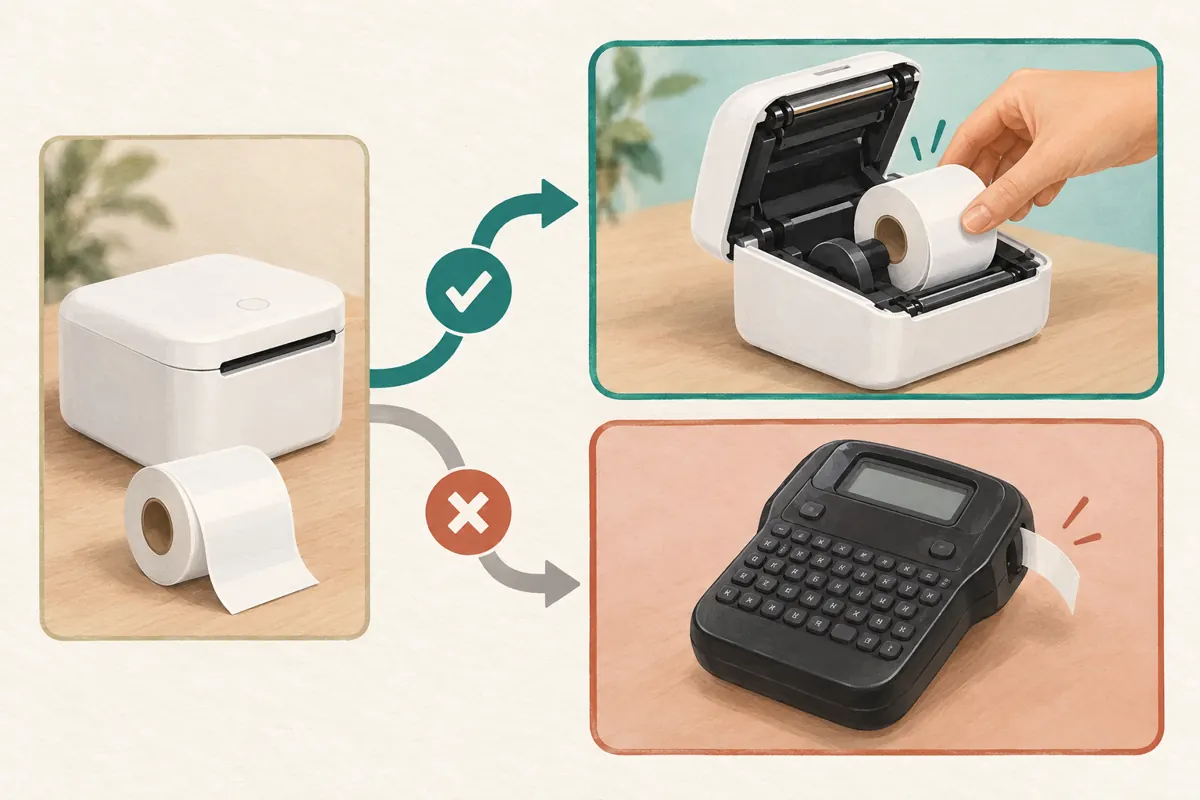
Imagine a hypothetical label-maker shop in Phnom Penh filming a compact printer for customers who package jars and takeaway boxes. Its Short shows a label coming out and being attached to a jar. The result is visible, but a prospective buyer might still wonder how to load a replacement roll. That is a specific next question, and it gives the longer demonstration a clear purpose.
Write the question before choosing the destination. Avoid broad notes such as “send people to more content.” Instead, record “show how this model accepts the demonstrated roll.” If the Short concerns label size, the follow-up should explain size selection. If it concerns phone setup, the follow-up should show that process. A relevant continuation reduces the amount of searching the viewer must do after becoming interested.
2. Understand the route YouTube actually provides
YouTube’s official related-video guide says creators can attach a video from their own channel after uploading a Short. Advanced feature access is required. The selected content must be public or unlisted and follow Community Guidelines. Viewers see a clickable link below the channel handle in the Shorts player. The feature can point to Videos, Shorts or Live content.
For setup, open YouTube Studio, choose Content, open the relevant Short, select Related Video and save. YouTube separately states that ordinary URLs in Shorts descriptions and comments are not clickable. Therefore, pasting a tutorial address into the description does not provide the same route. Official instructions for both features appear in the sources.
Treat the link as a navigation choice. It does not explain the product on its own, establish demand or promise that viewers will continue watching.
3. Choose the destination by model, task and language
Review possible destinations against three conditions: the product matches, the task matches and the intended customer can understand the explanation. A newer video is not automatically the better choice. A general shop tour may look polished while leaving the roll-loading question unanswered. An older, accurate demonstration could be more useful if its product information remains current.
For the hypothetical shop, compare the machine’s model reference, lid shape, roll holder and demonstrated label material across both recordings. Similar-looking printers can create confusion. Do not imply that a process applies to another model unless the shop has checked that claim against reliable product information.
For Khmer-speaking customers, use a clear Khmer explanation while preserving genuine model names as printed. If the destination uses English, explain that choice before sending viewers there. Check technical terms with a knowledgeable colleague rather than assuming that familiar-looking words carry the intended meaning.
4. Prepare the full demonstration before writing the invitation
Watch the destination from its opening frame. Does it identify the machine and explain what the viewer will learn? A customer arriving from a close-up Short should not have to sit through an unrelated introduction to discover whether the tutorial is relevant. Put the product and task near the beginning, then show the process in a readable sequence.
For a roll-loading demonstration, plan shots that reveal the open compartment, the roll orientation, the label path and the finished test label. Follow the actual manufacturer’s instructions for the particular device. The editorial goal is to make those steps visible, not to invent a universal printer procedure.
Separate demonstrated facts from sales terms. A roll visible in the video does not necessarily come with every purchase. State what the demonstration uses, and direct buyers to confirm the current package contents. Remove outdated offer language before using the video as an ongoing destination.
5. Give the Short a useful ending
The Short should deliver a complete small lesson or observation before inviting further viewing. Show the label clearly, identify the relevant machine and explain the immediate point. Then offer the longer demonstration as an optional continuation. Withholding every useful detail until another video makes the first clip frustrating.
A hypothetical English script might end: “This is the sample roll used here. Open the related video for the loading demonstration on this model.” Adapt the wording naturally for the language spoken in the recording. Avoid promises such as “works with every label” unless the shop can substantiate them.
Leave enough visual space for the product detail to remain understandable. A crowded closing frame with prices, contact methods, animations and several competing instructions can hide the reason to continue. Ask one reviewer to describe the expected next video after watching the Short once. Their answer should match the destination’s actual subject.
6. Test the journey as a prospective customer
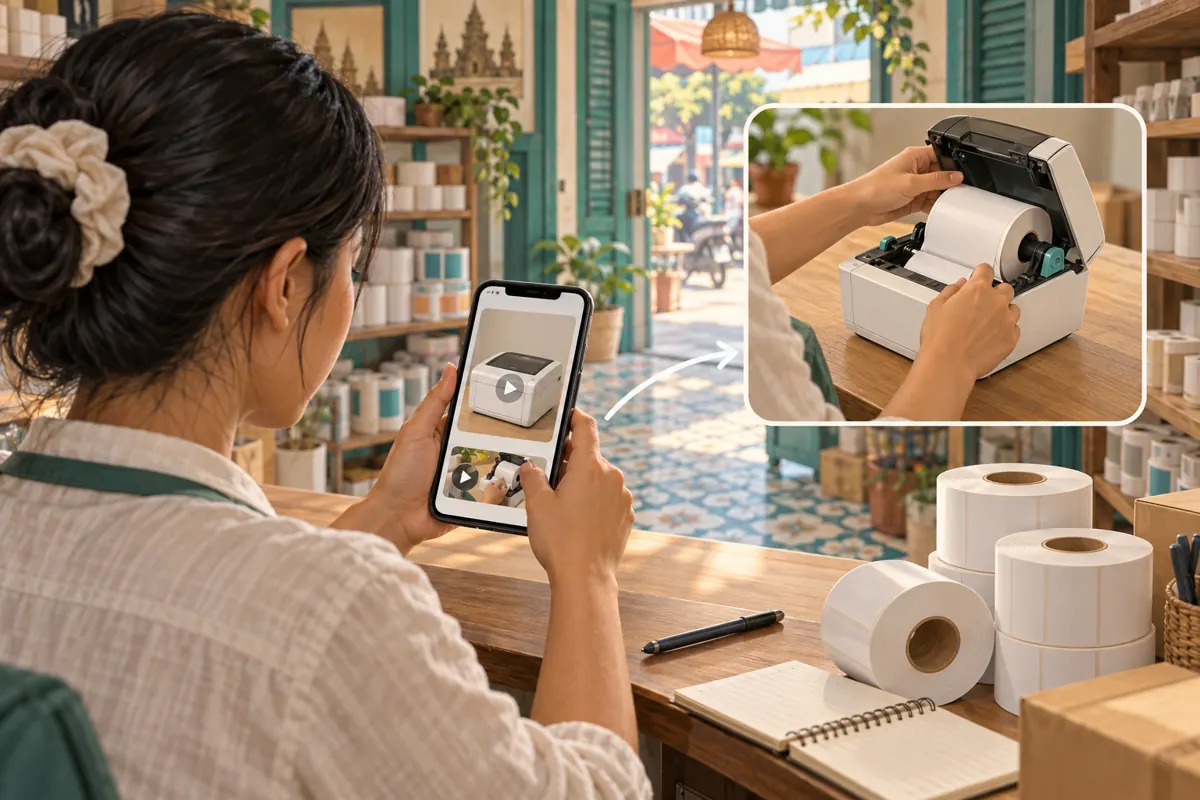
After configuring the relationship, open the Short on a phone through the viewing experience your customers are likely to use. Locate the related-video link, follow it and watch the destination’s opening. Verify the actual route rather than relying only on the saved setting in Studio.
Ask a colleague unfamiliar with the edit to repeat the check. Give them a task: “Find how to load the roll shown in this clip.” Observe where they hesitate. If they cannot tell which machine is being demonstrated, improve the identifying information. If the destination answers a different question, change the destination or revise the invitation.
Keep a brief test note containing the Short reference, destination reference, device used, review date and any unresolved issue. Do not store account credentials in that note. Repeat the relevant checks after changing either video’s availability or selecting a different destination, especially before sharing the Short in a new campaign.
7. Make a deliberate decision about SMM services
For readers evaluating santrix-smm.com, a relevant catalogue example is “YouTube - Auto Likes ~ Japan”. The supplied brief provides a name but no description. Its label places it among YouTube like services; it does not establish how delivery works, who participates or whether any audience is Cambodian. The country wording is not independent evidence of viewer location.
YouTube’s fake engagement policy prohibits artificial increases in views, likes and other metrics. It also explains that a hired promoter’s actions can affect the channel. A service being listed does not demonstrate policy compliance. Do not use artificial engagement to test this video journey or present it as proof that buyers found the demonstration helpful.
If a provider cannot clearly explain a compliant method and the actual scope of work, stop the purchase decision. Keep the editorial workflow useful on its own. Purchased engagement is not evidence of genuine interest, sales, advertising delivery or Cambodian users, and it cannot establish whether the linked tutorial answered the buyer’s question.
8. Evaluate understanding separately from viewing
Decide what evidence would help improve the pair of videos. Viewing activity can describe exposure, while customer questions can reveal unresolved confusion. Neither automatically proves a purchase. Keep content observations, enquiries and completed transactions in separate records so that one category does not silently become another.
In a hypothetical review, a customer asks whether the shown roll fits a different printer. That question suggests a possible need for clearer compatibility wording. It does not prove that everyone misunderstood the video. Record the wording without unnecessary personal details, check whether the existing explanation answers it, and decide whether a small clarification would help.
When discussing results, use cautious, specific language: “We received a question about roll compatibility after sharing the Short.” Unless the customer identifies the route, do not claim that the related-video link caused the enquiry. Also note other activity, such as a separate shop post, that could have brought the person to the business.
9. Avoid the mismatches that waste buyer attention
The most common editorial mistake is choosing a destination because it has an impressive counter or attractive thumbnail. Those qualities do not establish that it answers the promised question. Review the content itself. Another mistake is linking to a long replay without checking where the useful explanation begins or whether the opening makes sense to a new viewer.
A subtler mismatch happens when the Short uses one product sample and the full demonstration uses another without explaining the difference. Label shape, material or packaging can make customers assume that the sales package has changed. Show or state the distinction where it matters.
Avoid turning every Short into the same invitation. A loading clip, a label-design clip and a cleaning clip may require different destinations. Reusing one general introduction saves editing time but can leave buyers repeating their search. Assign a destination because of the question it resolves.
10. Maintain the relationship when stock or tutorials change
Keep a small register connecting each active Short with its selected destination and the question it answers. Include the product reference and the person responsible for review. This is especially useful when one staff member films demonstrations and another handles enquiries. Both should know which explanation customers are being offered.
Review the relationship when the shop changes the stocked model, updates package contents or replaces an inaccurate tutorial. First decide whether the existing Short remains truthful. A new destination cannot repair a false statement already spoken in the Short. If the clip remains accurate, select the appropriate continuation and test the route again.
Give the next reviewer a concrete handover: “This Short shows the current printer using the demonstration roll; the selected tutorial explains loading only.” That sentence defines the promise and its limits. It also makes future checks faster without turning the record into a complicated campaign report.
Frequently asked questions
Should the related video always be the longest demonstration?
No. Choose the clearest sufficient answer to the question raised by the Short. A focused demonstration may help more than a lengthy recording covering several machines. Watch the destination from the beginning and check how quickly a new viewer can identify the relevant product and task.
What if the shop has no suitable destination yet?
Keep the Short useful independently and prepare the missing explanation before promising it. You can record a focused follow-up using the same product and sample. Do not select an unrelated video simply to fill the field; the viewer’s next question should determine what you create.
Can an unlisted tutorial serve as the destination?
YouTube permits public or unlisted content for this feature. However, attaching an unlisted tutorial gives viewers a route to it. Review the recording for customer details, internal prices and unfinished statements before making it accessible through the Short. Use an approved customer-facing version.
Does a rise in likes show that the linked tutorial worked?
It does not establish that viewers followed the link or understood the explanation. Look for evidence relevant to the task, such as a reviewer successfully finding the loading instructions or a customer asking a more specific follow-up. Keep any paid-service records separate from conclusions about understanding.
How should a Cambodian shop handle Khmer speech and English model names?
Explain the task naturally in Khmer when that suits the intended audience, while preserving the model reference accurately. Show the reference clearly enough to distinguish similar machines. Have a colleague check that the spoken explanation, visible product and destination all refer to the same item.
Explore the current service catalogue, create an account, or ask a specific question through support tickets.
- YouTube Help: Add a related video to your YouTube Shorts
- YouTube Help: Sharing links with your audiences
- YouTube Help: Fake engagement policy
Prepared with AI assistance. Illustrations explain the workflow and do not represent customer results.